

Key Takeaways
- Fresh graduates often face confusion regarding TINs during onboarding; understanding TIN registration is crucial.
- A TIN is essential for tax reporting, especially for remote workers, as it ensures correct payroll and tax compliance.
- To apply for a TIN online, confirm if you already have one, seek guidance from HR, and prepare the necessary documents.
- Applicants must choose the correct BIR form based on their employment type, whether as a regular employee or a freelancer.
- After receiving your TIN, send it to HR immediately, retain all confirmation documents, and treat it like sensitive personal information.
A lot of fresh graduates only learn about TINs when HR asks for one.
By then, they’re already trying to complete onboarding, open a payroll account, submit government requirements, and prepare for their first day at work. So they search online, find ORUS, and assume they can just apply for a TIN the same way they would request an ID.
That’s where mistakes happen.
Your TIN application process depends on how you are being hired. If you are a first-time employee, your employer may help process your registration. If you are a freelancer, contractor, or self-employed remote worker, you may need to register under a different taxpayer category. And if you already received a TIN from a past internship, job, bank transaction, or government requirement, you should not apply for a new one. One person should only have one TIN.
At Penbrothers, we’ve helped hundreds of Filipino professionals navigate the paperwork side of remote work, from TIN registration to payroll setup to government contributions. We put together this guide to help fresh grads start their first job without the usual BIR confusion.
What Is a TIN?
A TIN, or Taxpayer Identification Number, is your official tax number with the Bureau of Internal Revenue.
It connects your name to your income, taxes, and employment records. If you are hired as an employee, your employer uses your TIN to report your salary and the tax withheld from your pay.
Think of it as your tax record number. You will use it not just for your first job, but for every job, business, or income-related transaction after that.
Once you get a TIN, it stays with you for life.
Why Do Remote Workers Need a TIN?
Remote work may feel more flexible than a traditional office job, but if you are formally employed, the tax rules still apply.
Your employer needs your TIN to:
- Report your income correctly;
- Withhold the right amount of tax from your salary;
- Prepare your BIR Form 2316;
- Update payroll records;
- Keep your employment records compliant.
For you, having the correct TIN helps avoid problems with salary processing, tax records, and future job requirements.
This is especially important for remote workers because you may not be dealing with HR face-to-face. Everything is usually done through email, online forms, or HR portals. If your TIN details are wrong, it can delay your onboarding or create extra back-and-forth with payroll.
TIN vs. TIN ID vs. Digital TIN ID
Many first-time workers confuse these three.
Your TIN is the actual tax number. On the other hand, your TIN ID is the card or proof that shows your TIN. While your Digital TIN ID is the online version that can be accessed through BIR’s ORUS platform once your TIN record is already active and verified.
So if you do not have a TIN yet, your first step is registration. The ID comes after.
Do not start by asking, “How do I get a TIN ID?” Start by asking, “Do I already have a TIN? If not, how should I register?”
Who Needs to Apply for a TIN?
You may need to apply for a TIN if this is your first job, you have never worked formally or registered with the BIR before, your employer asks for your TIN, and you are sure you do not have one, or you are starting freelance or contractor work and need to register as self-employed.
You probably do not need to apply for a new TIN if you had a previous job, were already registered as self-employed, received a TIN for a government or bank-related transaction, or have an old BIR Form 2316 from a past employer.
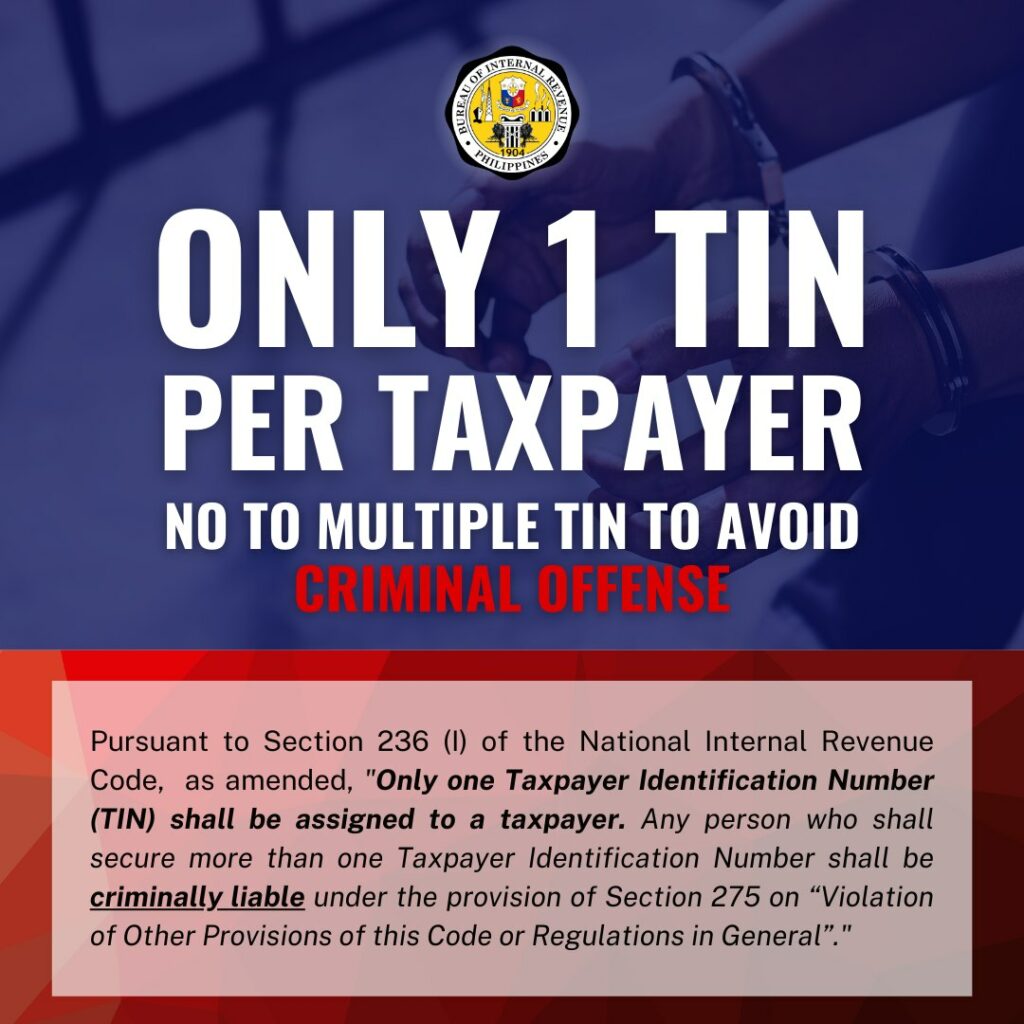
The rule is simple: one person, one TIN.
Even if you change jobs, move cities, shift careers, or start freelancing later, you should not get another TIN.
What If You’re Not Sure Whether You Already Have a TIN?
Do not guess.
Some people already have a TIN without remembering it, especially if they previously handled a government, bank, investment, or employment-related transaction.
Before applying, check:
- Old employment documents;
- Old BIR forms;
- Old emails from HR or payroll;
- Your previous BIR Form 2316, if you have one;
- Your records from past work, internships, or side income;
- BIR verification channels;
- Your current HR or payroll team.
This step is important because duplicate TINs can cause problems later. It is easier to verify first than to fix a duplicate record afterward.
Can You Apply for a TIN Online?
Yes, but the right process depends on your work status.
If you are a first-time employee, your employer may help process your TIN registration. This usually applies to fresh grads hired for full-time jobs.
If you are a freelancer, independent contractor, or self-employed worker, the process is different. You may need to register as a self-employed taxpayer, not as an employee.
That is why fresh grads should not rush into ORUS and choose whatever option looks closest. The wrong taxpayer type can delay your registration or create issues with your records.
Before applying online, ask your employer or client to confirm your work classification. Find out whether you are being hired as an employee, an independent contractor, or through a local employer-of-record company, and whether the company will handle payroll and withholding tax on your behalf.
Your answer affects your TIN registration.
Which BIR Form Should You Use?
The form depends on your situation.
BIR Form 1902
This is commonly used for employees earning purely compensation income. If you are a fresh grad starting your first full-time job, this is the form that usually applies to you.
BIR Form 1901
This is commonly used for self-employed individuals, professionals, freelancers, and mixed-income earners. If you work directly with clients, issue invoices, or pay your own taxes, this may apply to you.
BIR Form 1904
This is commonly used for one-time transactions or people who need a TIN for a specific government-related purpose but are not yet earning as an employee or self-employed person.
Do not choose a form based on convenience. Choose based on your actual work setup.
What Fresh Graduates Should Ask HR Before Applying
A good HR or employer-of-record team should guide you through this, not leave you to figure it out on your own. At Penbrothers, walking new hires through TIN registration is a normal part of onboarding, because we know this is exactly the kind of thing that stresses out first-time employees.
“Since this is my first job and I do not have a TIN yet, will the company help process my employee TIN registration?”
Whatever company you’re joining, here are the questions you should ask HR before applying on your own.
- Which BIR form should I prepare?
- Should I create an ORUS account myself?
- Will payroll process the TIN through the company?
- Which RDO should my record be under?
- What documents do you need from me?
- Do you need scanned copies or signed forms?
- Can I submit my TIN after the application is processed?
These questions help avoid delays and duplicate applications.
Requirements You May Need
Requirements may vary depending on your case, but first-time employees are usually asked to prepare basic documents such as:
- Valid government-issued ID
- Birth certificate
- Signed BIR form, if required
- Job offer or employment contract
- Personal email address
- Current address
- Employer details
- Marriage certificate, if applicable
For freelancers or contractors, you may need more documents, such as:
- Valid government-issued ID
- Proof of address
- DTI registration, if applicable
- Contract or proof of income
- Invoices or client agreements
- Other business registration documents
Prepare clear digital copies. Do not submit blurry, cropped, dark, or unreadable files.
How to Apply for a TIN Online as a First-Time Remote Worker
The exact process may depend on your employment type, but here is the usual flow.
Step 1: Confirm That You Do Not Have a TIN Yet
Before doing anything, check if you already have a TIN. Do not apply for a new one just because you forgot your number.
Step 2: Ask HR About the Correct Process
If you are hired as an employee, your employer may guide you through the registration process or handle it through their payroll team. This is common for first-time employees.
Step 3: Prepare Your Documents
Make sure your full name, birthday, and address are consistent across your documents. Use your legal name exactly as it appears on your valid ID. For example, if your ID says “Maria Angelica Santos Dela Cruz,” do not write “Angel Dela Cruz” or “Maria A. Dela Cruz” unless the form specifically allows it.
Small differences can cause delays.
Step 4: Submit Through the Correct Channel
Depending on your case, you may submit your requirements through your employer, ORUS, or the proper BIR process. Follow the instructions given by HR or the BIR.
Do not register as self-employed if you are actually being hired as a regular employee. Do not register as an employee if you are actually working as a freelancer.
Step 5: Wait for Confirmation
Once your application is processed, you should receive your TIN or confirmation from the proper channel. Save a copy of every email, slip, reference number, or confirmation document.
Step 6: Send Your TIN to HR
Once you receive your TIN, send it to HR or payroll right away so they can update your employee record. This helps avoid payroll and tax reporting issues.
Step 7: Set Up or Update Your ORUS Access
After your TIN is active and verified, you may be able to use ORUS for services such as generating your Digital TIN ID or updating certain registration details.
Is Getting a TIN Free?
Yes. Getting a TIN is free. You should not be paying someone for the TIN itself. Be careful with people or pages offering:
- “Rush TIN”
- “Guaranteed TIN ID”
- “TIN without requirements”
- “Same-day TIN for a fee”
- “No appearance, no documents needed.”
Some people may offer legitimate assistance with documents, but no one should be selling you a fake shortcut. If someone asks for too much personal information through social media or promises to create a TIN without proper documents, that is a red flag.
Common Mistakes That Delay TIN Applications
Applying Without Checking If You Already Have a TIN
This is one of the biggest mistakes. You only need one TIN for life. If you are unsure, verify first.
Choosing the Wrong Form
Employees, freelancers, and one-time transaction applicants do not always use the same form. Pick the form that matches your actual situation.
Registering Under the Wrong Category
Some remote workers are employees. Others are contractors. Some are hired through local companies. Others work directly with foreign clients. Your setup matters.
Using a Nickname or Shortened Name
Use your full legal name. Avoid nicknames, initials, or different spellings.
Uploading Poor-Quality Documents
Make sure your files are clear, complete, and readable.
Using the Wrong Email Address
Use an email address you actually check. BIR or HR may send updates, confirmations, or instructions there.
Thinking a Digital TIN ID Means You Have Registered for the First Time
A Digital TIN ID is linked to an existing TIN record. If you do not have a TIN yet, registration comes first.
What Happens If You Start Work Without a TIN?
Some employers may allow you to continue onboarding while your TIN is being processed, but it can still create delays.
Possible issues include delayed payroll setup, incomplete employee records, incorrect tax withholding, delays in receiving your BIR Form 2316, repeated follow-ups from HR, and problems when changing jobs later.
For fresh graduates, this can be stressful because your first salary often matters a lot. You may already be planning for bills, savings, transport, family support, or work-from-home equipment.
Fixing your TIN early helps avoid unnecessary delays.
What to Do After You Receive Your TIN
Once you receive your TIN:
- Send it to HR or payroll
- Save all confirmation documents
- Keep your records consistent
- Generate your Digital TIN ID if applicable
- Check that your name and birthday are correct
- Keep a private copy for future job applications
- Do not share your TIN publicly
Treat your TIN like sensitive personal information. Do not post it online or send it to random people offering assistance.
What If You Change Jobs Later?
Your TIN stays the same. You do not need a new TIN when you move to a new employer. Your new employer will use your existing TIN for payroll and tax reporting.
What may change is your registered information, employment details, or RDO handling, depending on your case. If you change employers, tell your new HR team that you already have a TIN. Give them the correct number and any documents they request.
Special Note for Freelancers and Contractors
Not all remote workers are employees. If you work directly with foreign clients, get paid through online platforms, issue invoices, or manage your own taxes, you may be considered self-employed or a freelancer.
That means your responsibilities may include:
- Registering as self-employed
- Filing your own tax returns
- Paying your own taxes
- Issuing receipts or invoices
- Keeping income records
- Updating your BIR registration when your work changes
This is different from regular employment, where your employer withholds tax from your salary. Before accepting a remote job, ask this clearly:
Am I being hired as an employee or as an independent contractor?
This is one of the most overlooked questions in remote hiring. At Penbrothers, the remote workers we manage are hired as full employees, which means payroll, tax withholding, SSS, PhilHealth, Pag-IBIG, and BIR reporting are handled on their behalf. That’s the difference between an employer-of-record setup and freelancing on your own.
Both setups are valid. But knowing which one applies to you changes everything: your taxes, your benefits, your paperwork, and even how you file your TIN.
Final Thoughts
Getting your TIN is one of the first steps in entering formal work.
For Filipino fresh grads and first-time remote workers, the goal is not just to apply online as fast as possible. The goal is to register correctly, avoid duplicate records, and make sure your employer has the right details before payroll starts.
Before you apply, check three things:
- Do you already have a TIN?
- Are you being hired as an employee or a contractor?
- Will your employer help process the registration?
Once those are clear, the process becomes much easier.
Frequently Asked Questions
First, check if you already have a TIN. If you are sure you do not have one, ask HR whether they will process your employee TIN registration or if you need to create an ORUS account yourself. The correct process depends on whether you are hired as an employee, contractor, freelancer, or through an employer-of-record setup.
Yes, most fresh graduates need a TIN once they start formal employment because employers use it for payroll, tax withholding, BIR Form 2316, and employment records. Without the correct TIN details, onboarding or salary processing may be delayed.
If you are a first-time employee earning purely compensation income, BIR Form 1902 usually applies. If you are freelancing, working as an independent contractor, or paying your own taxes, BIR Form 1901 may apply instead. Do not choose based on convenience; choose based on your actual work setup.
No. One person should only have one TIN. If you had a previous job, internship, self-employed registration, bank transaction, or old BIR Form 2316, verify your existing TIN first instead of applying for a new one. Duplicate TINs can cause problems later.